
Laravel Queued Jobs: Patterns for Reliable Processing
Queued jobs are one of Laravel's most powerful features, but they're also one of the easiest to get wrong. A job that works perfectly in local development can silently fail in production, lose data, or process the same item twice. Here are the patterns I use to avoid those problems.
Every Heavy Operation Gets a Job
If it takes more than a couple of seconds, queue it. In my projects, these operations are always queued:
- AI translation batches (Translations Pro)
- Hardcoded string scanning across hundreds of files
- Exporting translations to language files
- Sending notification digests across 9 channels
- License validation and activation tracking
The rule is simple: if the user would notice a delay, it belongs in a job.
Structure: Small, Focused Jobs
Like actions, jobs should do one thing:
Notice the readonly properties. Job payloads get serialized — you don't want them mutated after dispatch.
Retry Strategies That Make Sense
Don't blindly retry. Different failures need different strategies:
Use $backoff as an array for exponential delays. The first retry waits 30 seconds, the second 60, and so on.
Handling Failures Gracefully
Every job should have a failed() method:
Without this, failed jobs disappear into the failed_jobs table and nobody knows something went wrong.
Idempotent Jobs
Jobs can run more than once. Network timeout after the job completed but before the queue acknowledged it? It runs again. Your job must handle this:
If running a job twice would create duplicate records, charge a customer twice, or send duplicate emails — you have a bug.
Batch Processing with Job Batches
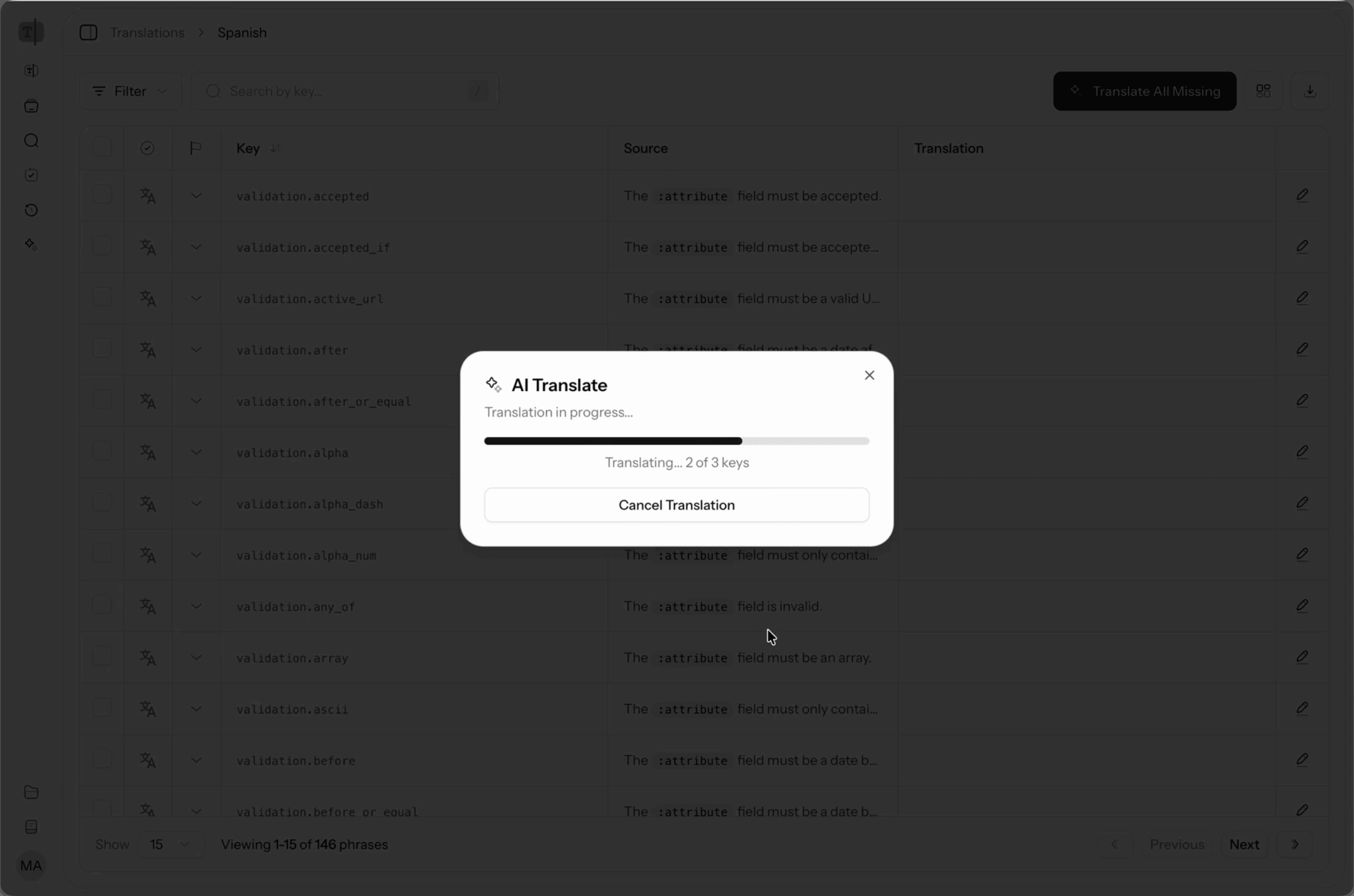
For large operations like translating an entire language, I use Laravel's job batching:
The UI shows batch progress in real-time using Inertia polling:
Queue-Specific Tips
Use Specific Queues
Don't put everything on the default queue:
Run separate workers for each queue with different concurrency levels.
Don't Serialize Entire Models
Jobs serialize their constructor arguments. A model with 20 loaded relationships becomes a massive payload:
Laravel automatically handles model serialization with SerializesModels, but be aware of what's being serialized. If you loaded 50 relationships before dispatching, all of that goes into the queue payload.
Set Timeouts
Jobs without timeouts run forever if something hangs:
For AI translation jobs that call external APIs, I set this to 180 seconds. For quick database operations, 30 seconds is plenty.
The Pattern
Every job in my projects follows the same structure:
- Small, focused responsibility
- Explicit retry strategy with backoff
failed()method with notification- Idempotent
handle()method - Specific queue assignment
- Reasonable timeout
Jobs are the backbone of any production Laravel app. Getting them right means your app stays responsive under load and recovers gracefully when things go wrong.